

Watch Me Edit: Forever 2.0
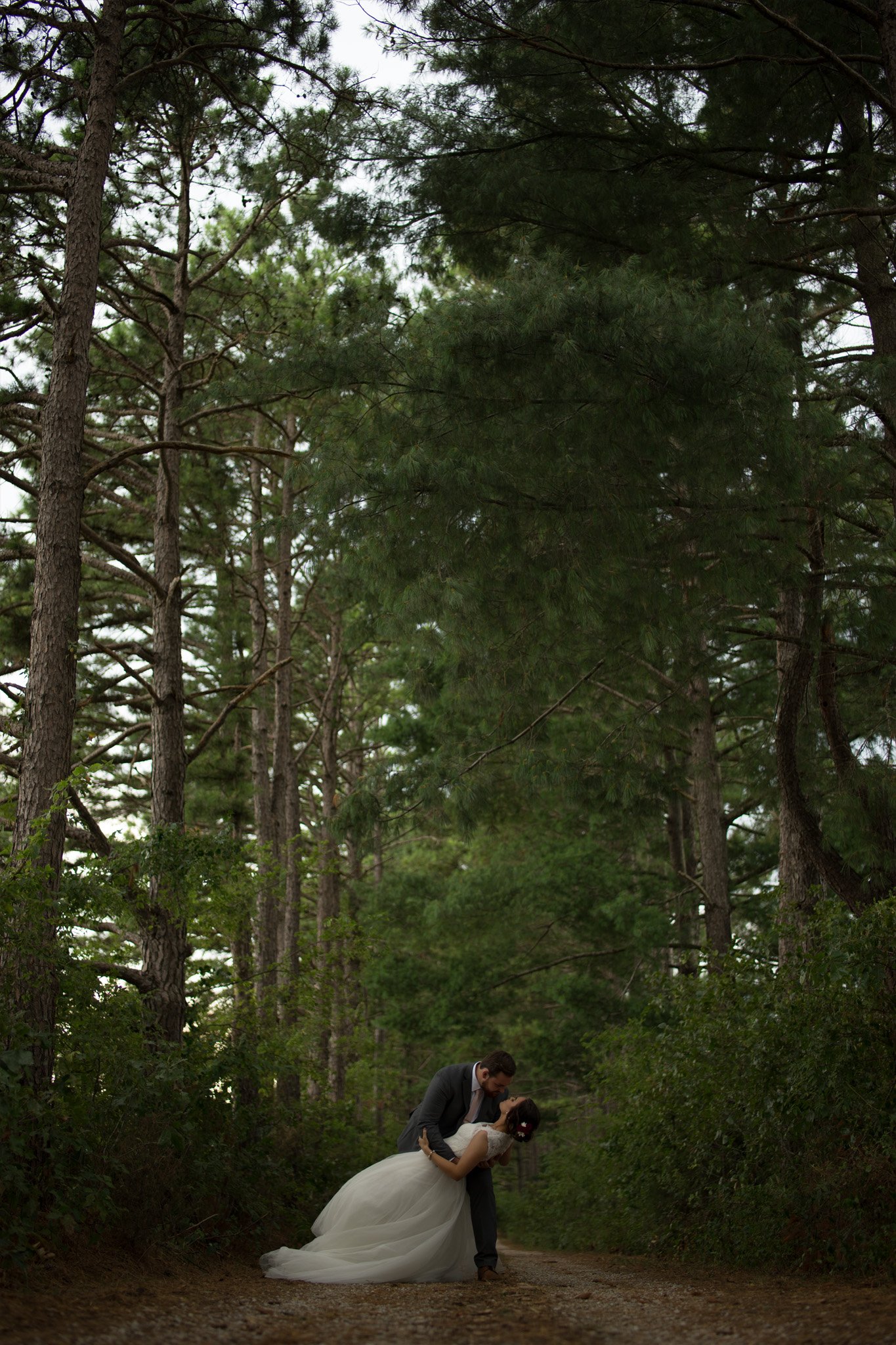
Single edit of my image Forever
Watch me edit my popular image “Forever” from start, RAW SOOC to finish. In this class, you will learn my entire editing process. I also discuss tips and techniques for while I’m shooting doing a session. Get an amazing over-the-shoulder look at my workflow and many of my favorite editing techniques in this video.
In this class you will learn how to:
Correct the exposure
Sharpen the image
Reduce noise
Direct the viewer’s attention
Add sunbeams
Remove distractions
Use the clone stamp tool to rebuild part of the forest
Color correct the image
Dodge and burn
Correct the skin tones
Archive the desired overall color profile for the image
Add a logo
Video Length: 31 minutes
Software: Lightroom and Photoshop CC
EXIF
Camera: Sony a7II
Lens: Rokinon 85mm f1.4 manual focus
Aperture: F1.4
Shutter Speed: 1/320
ISO: 100
FAQs
-
The course starts now and never ends! It is a completely self-paced online course - you decide when you start and when you finish.
-
How does lifetime access sound? After enrolling, you have unlimited access to this course for as long as you like - across any and all devices you own.
-
We would never want you to be unhappy! If you are unsatisfied with your purchase, contact us in the first 30 days and we will give you a full refund.
-
I use Adobe Photoshop and Lightroom cc to edit my photos.
Get started now!
Your Instructor

Phillip Haumesser
I am a Dad and husband first of all. I started taking photos of my kids in 2015 and became obsessed with photography and post-processing. I'm completely self-taught and it took me years to get where I am. My work has since been featured all around the world at places like The Huffington Post, Daily Mail, Business Insider, My Modern Met, PetaPixel, and many more. This has become an organic passion that grew into much more than a hobby. I'm asked all of the time by beginners and professionals alike for advice and training. So I decided to start making courses and classes online to teach everything I've learned and save others years of guesswork.